



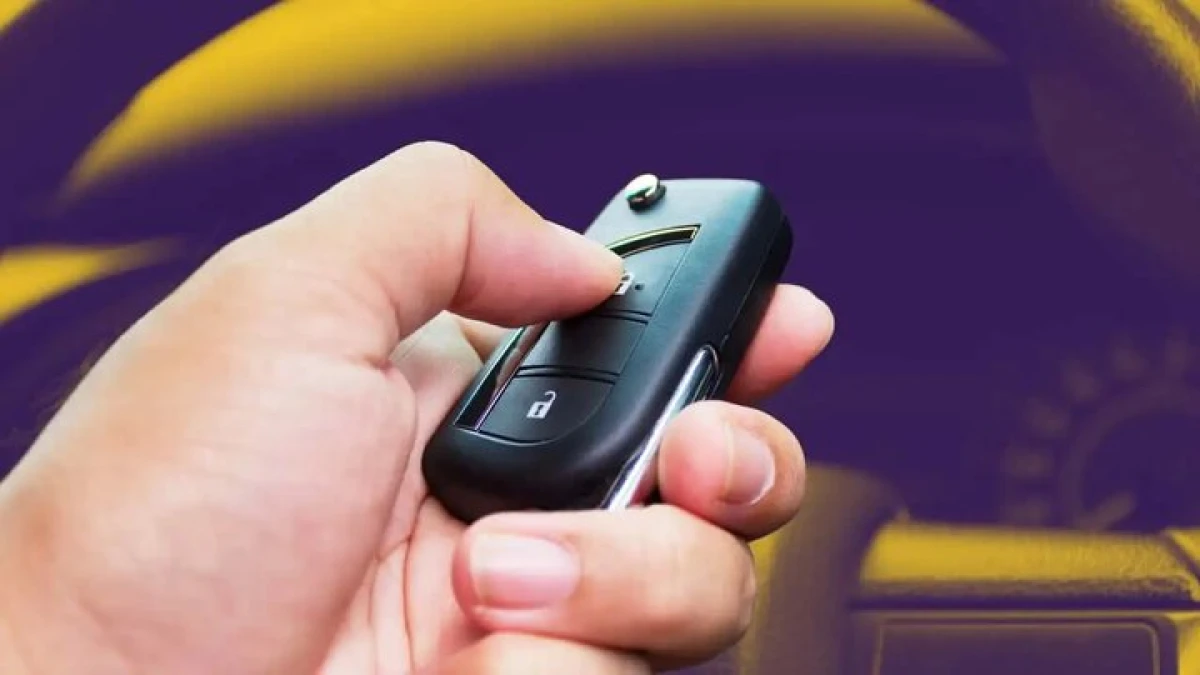
Picture this: you walk up to your car after a long day at work, press the unlock button on your remote, and nothing happens. You pull the door handle—still locked. When you finally get inside and press the start button, the dashboard blinks back with a frustrating “Key Not Detected” message.
A dead key fob battery can feel like an instant stranding, but you almost certainly do not need to call a tow truck. Modern cars are engineered with a built-in mechanical and electronic backup system that lets you unlock the doors and fire up the engine even when your fob’s battery is completely dead. Here is how to get back on the road in minutes.
Why Does a Key Fob Stop Working?
Key fobs rely on a small coin-cell battery to broadcast radio signals to your vehicle. While reliable, these batteries eventually drain due to:
- Natural Lifespan: Most batteries last between 2 and 4 years under regular use.
- Physical Shock: Dropping the fob can crack internal solder joints or dislodge the battery contact.
- Moisture Exposure: Rain, sweat, or accidental washing can corrode circuit boards.
- Signal Interference: High-power radio masts or parking near transformers can temporarily block transponder signals.
- Proximity Drain: Storing your key fob too close to your car at home keeps both systems “talking,” draining the battery faster.
MotorFuturist Tip: If your instrument cluster occasionally flashes “Key Battery Low” or “Key Not Detected” during normal starts, treat it as your early warning sign—replace the coin-cell battery within the week.

Step 1: Use the Hidden Mechanical Key
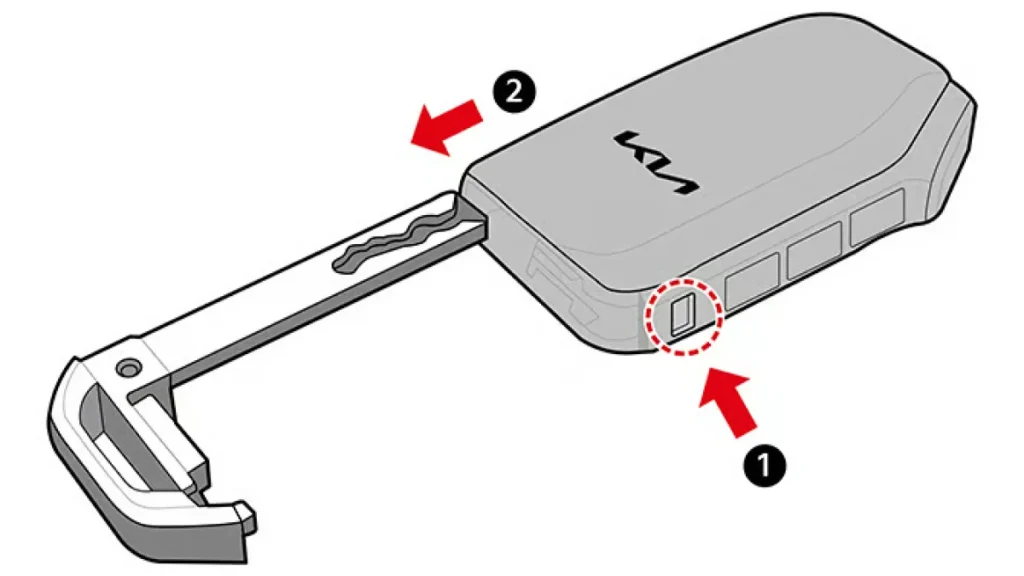
Every smart key fob contains an emergency metal key blade hidden inside the plastic casing for situations just like this.
- Locate the Release Button: Look for a small sliding catch, lever, or button on the back or edge of your key fob.
- Pull the Key Out: Hold the latch down and pull the metal loop or top cap to slide the emergency blade out.
- Unlock the Door: Check under your driver’s door handle—some cars expose the keyhole directly, while others have a small plastic cap you pop off from the bottom using the key tip. Turn the key to unlock the door manually.
Step 2: Start the Car Without a Working Battery
Once you are sitting inside, pressing the brake and hitting the start button will likely trigger a warning chime. Do not panic—your key fob has a passive RFID (Radio Frequency Identification) or NFC transponder chip inside. This chip does not need battery power; the car’s start button emits a short-range magnetic field that energizes the transponder when they touch.
- Press and hold the brake pedal (or clutch on a manual transmission).
- Touch the key fob directly against the START/STOP button (or place it in your vehicle’s designated backup pocket).
- Press the button with the fob itself while keeping it pressed against the ring. The engine will crank and start normally.
Where Different Brands Detect the Backup Key
| Brand | Emergency Start Method |
| Mahindra | Hold the key fob directly against the Start/Stop button while pressing it. |
| Tata Motors | Touch the smart key against the Start/Stop button or check below the steering column. |
| Hyundai | Press the Start/Stop engine button directly with the tip of the key fob. |
| Kia | Hold the fob against the Start/Stop button and push to ignite. |
| Toyota | Hold the Toyota emblem side of the fob against the Start button until it beeps, then press. |
| Honda | Touch the fob against the Start button; wait for the green indicator light, then press. |
| MG Motors | Hold the smart key close to the Start/Stop button or place it in the center console tray. |
How to Replace the Key Fob Battery & Preventive Tips
Replacing the battery takes less than two minutes and costs under ₹200. Most automotive fobs use standard 3V lithium coin cells like CR2032, CR2025, or CR2450.
- Remove the mechanical key blade.
- Use a flathead screwdriver or coin to gently twist and separate the two halves of the plastic fob shell.
- Note the orientation of the old battery (usually positive
+side facing up) and swap in the new cell. - Snap the casing back together firmly.
Preventive Care:
- Replace your key batteries every 2 to 3 years proactively.
- Keep a spare CR2032 battery in your glovebox for emergencies.
- Avoid storing your smart key within 15 feet of your parked vehicle overnight.
Can You Drive with a Dead Key Battery?
Yes. Once your engine is running via the RFID emergency start procedure, your vehicle operates identically to normal. However, remote lock/unlock buttons and passive keyless entry handles will remain inactive until you install a fresh battery.
Common Myths About Dead Key Fobs
| Myth | Reality |
| “A dead battery means you cannot start the car.” | False. Passive RFID chips allow emergency starting without any battery power. |
| “You have to reprogram the key after changing the battery.” | False. Swapping a battery does not erase your vehicle’s security pairing. |
| “Every car key uses the exact same CR2032 battery.” | False. While CR2032 is common, many fobs use thinner CR2025 or thicker CR2450 cells. |
| “You need to call roadside assistance immediately.” | False. You can unlock and start your car manually in under two minutes. |
MotorFuturist Verdict
A dead key fob battery is a minor nuisance, not a mechanical breakdown. Because auto manufacturers integrate passive RFID transponders into every smart key, you are never truly locked out or stranded. Knowing how to release your mechanical emergency key and where to hold the fob against your dash ensures you can get moving immediately—saving you time, stress, and an unnecessary service call.
FAQ
Can a car start if the key fob battery is completely dead?
Yes. Every push-button start vehicle has a passive RFID/NFC backup system that reads your key’s chip even when the fob battery has zero charge.
Where should I hold the key if the battery is dead?
In most modern cars, hold the key fob directly against the Start/Stop engine button while pressing the brake. Some older models have a dedicated key slot inside the glovebox, center console, or cup holder.
How much does a replacement key fob battery cost?
A branded coin-cell battery (like Panasonic, Duracell, or Maxell CR2032) typically costs between ₹100 and ₹300 at any electronics shop, hardware store, or petrol station.
How often should I replace my key fob battery?
You should replace it every 2 to 4 years, or immediately when your car displays a “Key Battery Low” warning on the instrument cluster.
Will replacing the battery erase my key’s programming?
No. Replacing the coin-cell battery does not affect the electronic pairing between your smart key and your vehicle’s immobilizer.


1 Comment
Pingback: Upcoming Cars in India October-November 2026: New SUVs, EVs & More